
AI shopping assistant grounded in your store.
Answer buying questions and guide product discovery using information available from your website and merchant knowledge.
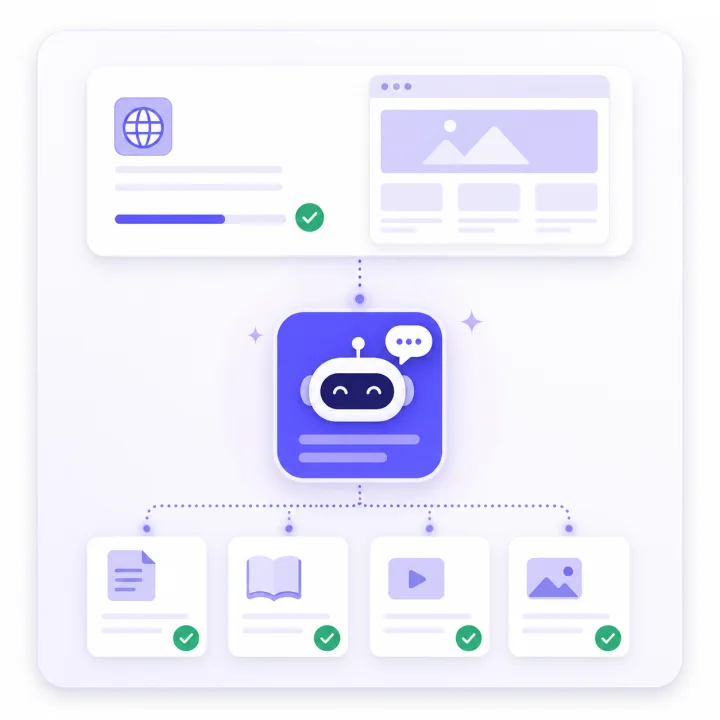
Ask Nira learns from your store, answers buying questions, recommends relevant products and helps you understand shopper intent across the buying journey.
Help shoppers compare products and preferences using evidence from the store instead of generic answers.
Compare plansWhich option is suitable for someone looking for a gentle everyday product?

Here is a suitable option based on the product information available on the store.
Top recommendation
Built to keep store evidence, installation status and attribution confidence visible
Answer buying questions and guide product discovery using information available from your website and merchant knowledge.
Use behavioural context to identify patterns such as comparison shopping, high intent, cart hesitation and unresolved concerns.
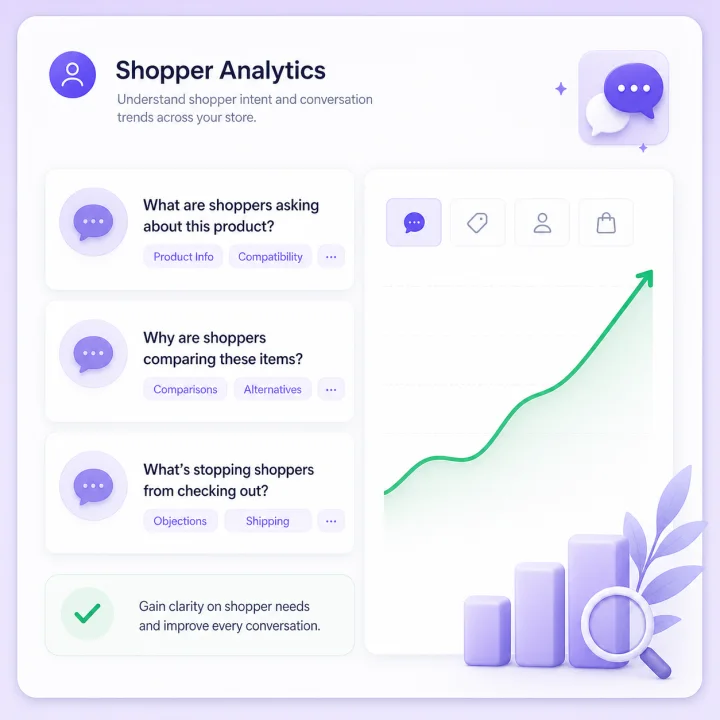
Use controlled proactive assistance for configured moments such as product comparison, product hesitation, cart hesitation and policy concerns.

Review product engagement, cart activity, attributed purchases, knowledge gaps, unavailable demand and support outcomes with confidence labels.
Ask Nira gives ecommerce teams a conversational layer for helping shoppers and a clearer view of the friction that appears before conversion.
Product, delivery, return and compatibility questions can interrupt the buying journey when the answer is difficult to find.
Customers often describe needs, preferences and constraints in natural language instead of typing an exact product name.
Merchants need context around product interest, hesitation, questions and unresolved demand, not only clicks and sessions.
The product is designed as one connected journey from store knowledge to shopper assistance and merchant insight.
Ask Nira uses permitted public website content and merchant-managed knowledge to answer from the store's own evidence.
Behavioural signals and conversations can be used to identify patterns such as comparison, high intent and hesitation.
The assistant can answer questions, guide product discovery and use controlled proactive prompts when configured conditions are met.
Review high-intent sessions, behavioural segments, cart hesitation, proactive interventions, knowledge gaps and unavailable-product demand from one merchant intelligence surface.
Explore Nira IntelligenceIdentify explainable shopper journey states when the available behavioural evidence supports them.
Separate cart-risk reporting from direct and assisted purchase attribution instead of pretending every recovery caused a sale.
See repeated missing-information topics and products shoppers requested but could not find.
Ask Nira keeps browser-reported and verified commerce evidence distinct so merchants can interpret commercial impact with the right level of confidence.
Track product-card impressions and clicks automatically and detect common add-to-cart interactions from the storefront loader.
Separate tracked product-click purchases from assisted purchases where Ask Nira contributed without receiving sole credit.
Measure recorded resolution and handoff outcomes, and enrich consented Business-plan leads with available behavioural context.
Every plan supports the same core installation choices: a small hosted script, guided Install with AI, or the authenticated Installer MCP for compatible coding assistants.
See installation optionsAdd the canonical widget loader once in a global layout, header, footer or tag manager.
Use guided setup instructions designed to help an AI coding assistant make the smallest suitable installation change.
Connect a compatible authenticated MCP client for scoped installation planning, verification, diagnostics and rollback guidance.
Create an account, verify your email and choose Starter, Pro or Business. Your Stripe-managed subscription begins with a 7-day trial.
What Ask Nira does, how it learns, what happens after signup and how commerce evidence is represented.
Ask Nira adds an AI sales and shopping assistant to your ecommerce website. It answers customer questions, recommends relevant products, supports product discovery and gives merchants tools to understand conversations, shopper behaviour and commercial outcomes.
You add your website and Ask Nira indexes permitted public content. Your team can also add merchant-managed knowledge for information that is missing or needs to be stated more clearly.
Ask Nira is designed to answer from merchant evidence and to say when required information is unavailable instead of presenting unsupported store facts as known.
Yes. The dashboard includes a Test Lab where you can ask realistic product, delivery and policy questions before customers use the public assistant.
You can install Ask Nira with the hosted one-line script, use guided Install with AI, or connect a compatible authenticated coding assistant through the Installer MCP. Installation verification is available to confirm the widget is connected correctly.
Yes. Ask Nira supports English, Hindi and Hinglish while keeping product names, prices and business information grounded in the merchant's available evidence.
Ask Nira can report product-card engagement, detected add-to-cart activity, checkout and purchase events when supplied, direct and assisted attribution, knowledge gaps, unavailable-product demand, AI resolution signals and human handoff outcomes. Attribution confidence remains visible rather than being hidden.
You create your account, verify your email, add a payment method in Stripe Checkout and begin the selected plan's 7-day trial. Then add your website, test the assistant and install it when you are ready.